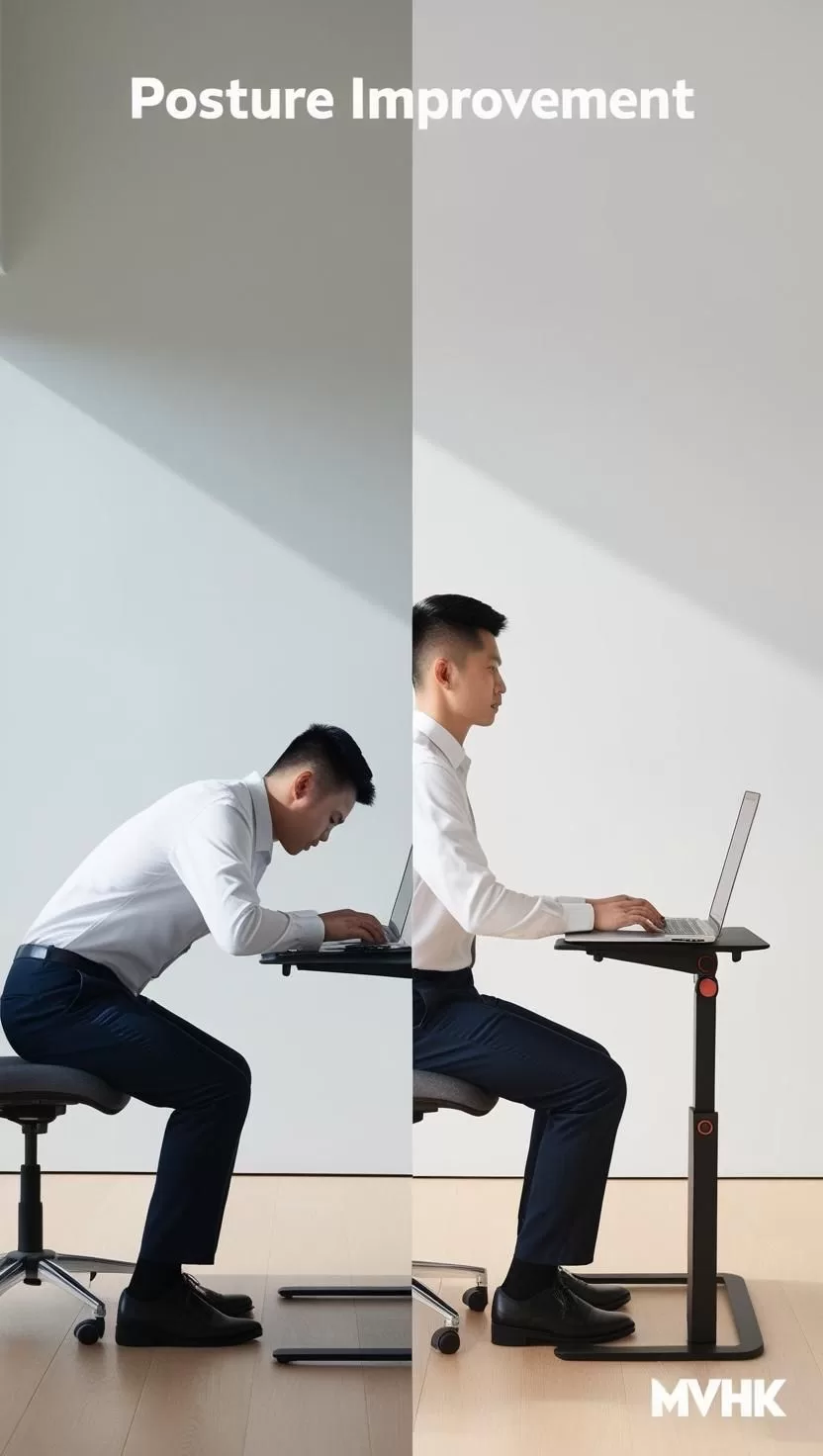
Instantly Improve Your Posture with This Simple Laptop Stand Adjustment
1️⃣ Why Monitor Height Matters for Your Spine Health
How Poor Monitor Placement Wrecks Your Posture
When your screen is too low or too high, it throws your entire body out of alignment. Constantly looking down at a laptop strains your neck, shoulders, and back. According to Harvard Health, poor posture can lead to chronic pain and even breathing problems.
The Ideal Eye-Level Setup Explained
Experts recommend placing the top of your screen at or slightly below eye level. This natural positioning keeps your head neutral and your spine aligned. Your eyes should look slightly downward when gazing at the center of the screen—optimizing comfort and reducing strain.
2️⃣ How to Adjust Your Laptop for Perfect Ergonomics
Choosing the Right Adjustable Stand
Select a sturdy, height-adjustable laptop stand that lets you tweak the angle easily. Look for stands made of strong materials like aluminum and featuring anti-slip pads. Some even come with built-in cooling systems to prevent overheating.
Step-by-Step Adjustment Instructions
- Step 1: Set your laptop on the stand.
- Step 2: Adjust the height so that the top of the screen aligns with your eyes.
- Step 3: Position the laptop 20 inches (51 cm) from your face.
- Step 4: Use an external keyboard and mouse to keep arms relaxed at 90° angles.
- Step 5: Tweak until your neck feels neutral—no tilt required.
3️⃣ Additional Ergonomic Tips for Busy Professionals
Create a Sit-Stand Workspace
Alternating between sitting and standing throughout the day can dramatically reduce back pain and increase focus. A simple sit-stand desk converter paired with your laptop stand is a game-changer.
Incorporate Micro-Movements
Add in stretches, shoulder rolls, and posture resets every 30-45 minutes. Even a 2-minute break improves circulation and recharges your energy.
Conclusion: How to Get Started Today
If you spend hours at a laptop, a quick stand adjustment could make the difference between daily discomfort and energized productivity. 🚀 Invest in an adjustable stand today and start feeling the benefits instantly—your body will thank you!
Harvard Health Posture Guide (new window)
FAQ
What is the ideal monitor distance from your eyes?
The ideal distance is about 20 inches (51 cm) away to minimize eye strain.
Should the top of the laptop screen be at eye level?
Yes, the top third of the screen should align with your eyes to maintain a neutral neck position.
Can using a laptop stand reduce back pain?
Absolutely! A laptop stand helps align your posture correctly, significantly reducing back and shoulder strain over time.